NumberGuru: Spam & Caller ID
- 3.4
- Rating
- 10.00K
- Installs
- Free
- Price

 Analysis by App-foxy
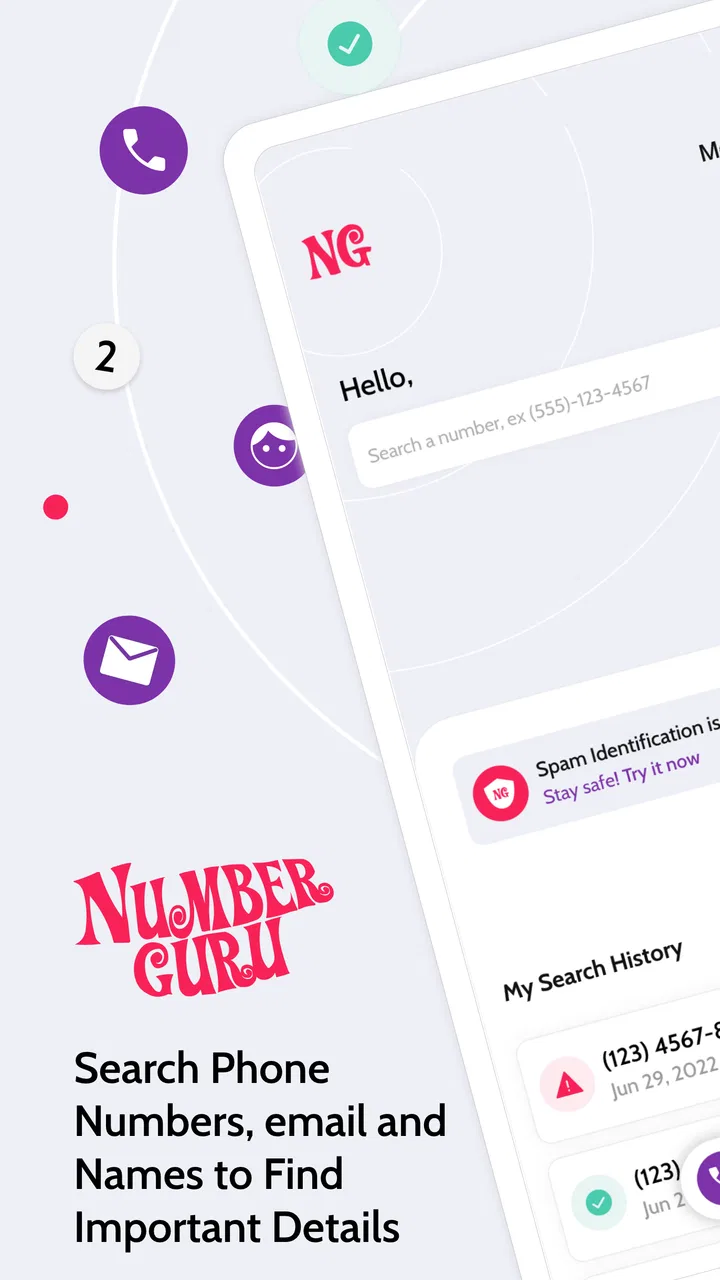
I installed NumberGuru: Spam & Caller ID to see whether it could make unknown calls less frustrating, and my impression is fairly practical: it is a focused communication app built around reverse phone number lookup, name searches, number searches, and spam-call identification. It is not trying to replace your dialer or become a full messaging platform. Its usefulness depends on one simple question: how often do you receive calls that you cannot confidently identify before answering.
The app is made by The NumberGuru LLC and is available free of charge, which makes it easy to try without committing money upfront. That matters here because caller-identification tools are most useful when they become part of a quick routine rather than something I open only after a serious problem. I can check an unfamiliar number, decide whether it deserves attention, and move on.
There is also a paid layer to consider. In-app purchases are listed at $24.99 per item, so the free starting point should not be confused with unlimited paid value. The sensible approach is to use the no-cost experience first and judge how often the results actually help before considering any purchase. I would not pay simply because the app has a familiar caller-ID concept.
You May Also Like

 Pandora - Music & Podcasts
Pandora’s Music Is Easy to Start, but Harder to Recover
Pandora’s strength is its low-effort path from a seed to a station. Its weak spot is how much confidence it asks you to place in connection, setup, and quiet recovery.

 AccuWeather: Weather Radar
AccuWeather Review: A Quick, Clear Forecast for Everyday Decisions
For everyday plans, the best forecast is the one you can understand quickly. AccuWeather makes rain timing, radar, and local conditions easy to act on, with a few trade-offs.

 Hill Climb Racing
Why Hill Climb Racing Still Turns Crashes Into One More Run
A tiny car, a bumpy hill and one more upgrade: Hill Climb Racing keeps resurfacing because its simple chaos makes every near-miss feel personal.

 AliExpress - Shopping App
AliExpress Makes Global Shopping Feel Personal, but Shoppers Bear the Risk
AliExpress turns a global marketplace into a pocket-sized discovery engine. Its reach is useful, its shopping loop compelling, and its trade-offs easy to miss.

 Lords Mobile: Kingdom Wars
Lords Mobile Is a Kingdom-Building Routine, Not a Quick Match
A case-by-case verdict on the building, battles, device demands, and social commitments that make Lords Mobile rewarding for some players and exhausting for others.

 PDF Scanner app - TapScanner
TapScanner Makes Paperwork Easier to Capture, Check, and Share
TapScanner makes scanning with a phone feel less like a rescue operation and more like a dependable step in getting work done. Its capture tools are useful, though not flawless.
More From Our News Desk
View All News


How NumberGuru fits into everyday call screening
The central workflow is straightforward. An unknown number appears in my recent calls, and I use the app to search it rather than immediately calling back. That small change is useful because missed calls often create pressure: a person may assume the call was important, while a cautious person may worry that returning it will lead to more unwanted contact. A lookup gives me another step between seeing the number and reacting to it.
The name-and-number search approach also makes the app useful when I already have partial information. If someone gives me a phone number verbally, or if I find one in an old note without a clear contact name, I can search the number directly. Conversely, a name search can help when I am trying to connect an unfamiliar number with a person or business I may have encountered before.
I would describe this as a supporting tool rather than a complete security system. A caller label can help me make a decision, but it should not be treated as proof that a caller is trustworthy. Numbers can be reused, misidentified, or presented in ways that make the apparent source less reliable than it looks. My best habit is to use the result as context, then verify important callers through a separate channel.
A realistic use case: handling a missed call
Imagine receiving a missed call while working, with no voicemail and no familiar name. My first move would be to avoid calling back immediately. I would search the number in NumberGuru, look at the available identification, and consider whether the context makes sense. If it appears connected to a service I recently contacted, I might return the call using an official number from that service’s website or paperwork rather than relying only on the incoming call.
If the result points toward spam, the practical benefit is not that the app has solved the entire problem. The benefit is that it helps me avoid wasting time and reduces the chance of responding impulsively. I can leave the call unanswered, remove it from my attention, and continue with the rest of my day.
This workflow is especially helpful for people who receive frequent calls from unfamiliar numbers but do not want to answer every one. It is less valuable for someone whose contacts are already well organized and whose phone rarely receives unknown calls. In that situation, opening a separate lookup app may add more steps than it removes.
What the free access is really worth
Because the app is free to download and use as an entry point, its main value is low-risk experimentation. I can see whether its searches are relevant to the calls I actually receive instead of guessing from a description. That is a better fit for this category than paying upfront for a promise of better caller recognition.
The free model also changes how I would evaluate it. I would not expect every number to produce a useful identity, and I would judge the app by the quality of the decisions it helps me make, not by the number of searches I can perform. A result that tells me to be cautious can still be useful, even if it does not provide a complete name or business profile.
The paid option deserves a more careful decision. At $24.99 per item, it is a meaningful purchase rather than a trivial add-on. The price may be reasonable for someone who depends on reverse lookup regularly, but it is difficult to justify for occasional curiosity. I would first test the app across the kinds of calls that normally bother me: delivery calls, service appointments, local businesses, repeated unknown callers, and obvious nuisance numbers.
That trial period should answer the important question: does the app consistently improve my choices, or does it merely confirm what I could already guess? If the results rarely change what I do, paying more would not add much value. If the app becomes a dependable part of my call-screening routine, the purchase can be considered on practical grounds rather than impulse.
Where it helps more than a normal contacts list
A standard contacts app only recognizes numbers I have already saved. NumberGuru addresses the gap before a number becomes a contact. That is its clearest advantage over relying on the phone’s built-in address book. I can investigate a caller without first deciding to save the number permanently, which keeps my contacts cleaner.
It can also be more convenient than searching the open web manually. A general web search may return scattered pages, outdated discussions, or unrelated matches. A dedicated reverse-lookup app gives me a single place to begin. I still would not treat its result as the final word, but the focused workflow is quicker than assembling the same context from several searches.
There is a useful privacy-minded habit here, even without making assumptions about the app’s internal handling of information: search the number first, and save it only if the caller becomes relevant. That prevents a temporary unknown caller from filling my address book with labels I may later regret. For people who regularly receive calls from contractors, schools, clinics, or local businesses, this separation between lookup and contact storage is genuinely convenient.
Tradeoffs I noticed while judging the experience
The biggest tradeoff is uncertainty. A lookup result can be incomplete or too broad to support a confident decision. A familiar-looking name does not automatically make a caller safe, and a spam label does not explain every detail of the call. I would use the app to decide whether to pause, not to hand over my judgment.
Another tradeoff is the extra step. If the app does not identify a caller directly in the incoming-call screen, I may need to open it, copy or enter the number, and wait for the search. That is still useful for missed calls and call history, but it may feel slow when the phone is ringing and I need an immediate answer. People who want completely automatic screening should compare this workflow with their phone’s built-in caller-ID tools or other dedicated services.
The app’s average rating is 3.4 from around 132 ratings, with about 55 written reviews. I read that as a reason to keep expectations measured rather than as a reason to dismiss the app. A middling average often reflects the uneven nature of phone databases: one user may get a helpful identification while another searches a number that produces little useful context. That variability is central to the category.
The app has been available since February 12, 2018, and its current version is 2.02.86. It supports devices running Android 7.0 or later. For someone using an older device, checking compatibility before planning around it is sensible. For most people on a reasonably recent Android phone, the operating-system requirement should not be the deciding issue.
Three practical habits that make the app more useful
First, I would search before returning a missed call, but I would verify important organizations independently. If a result suggests a bank, clinic, delivery company, or government office, I would find that organization’s official contact route and call it myself. This avoids turning a plausible lookup result into a security mistake.
Second, I would keep a small mental distinction between “identified,” “familiar,” and “safe.” Those words are not interchangeable. A number may be connected to a recognizable name and still be spoofed or used in an unwanted way. This is one of the most important limitations to remember when using any caller-identification service, including this one.
Third, I would use repeated searches to decide whether the app deserves a place in my routine. If the same kinds of calls appear often and the results repeatedly give me useful direction, the app has earned its space. If I only open it once every few months, the free option is enough to keep available, and a paid purchase would be hard to defend.
Another useful workflow is to search a number while its context is still fresh. After a busy day, I may no longer remember whether an unfamiliar call arrived after a delivery notification, an appointment request, or an online inquiry. Checking promptly lets me compare the number with what I was actually expecting, which is more reliable than looking at the label alone.
Who should use it, and who should skip it
I think NumberGuru is best for people who receive enough unknown calls to need a quick second opinion. That includes freelancers waiting for new clients, parents dealing with school or activity-related calls, people who use local services frequently, and anyone who wants to investigate a missed call without immediately adding it to their contacts.
It may also suit users who are comfortable making the final decision themselves. The app is more valuable to a cautious person who wants extra context than to someone looking for an automatic guarantee that every call is classified perfectly. Its role is closer to a flashlight than a locked door: it helps me see more clearly, but I still have to choose what to do.
I would skip it if my main requirement is fully automatic blocking, a comprehensive identity record for every caller, or a replacement for professional fraud protection. I would also skip the paid option if my unknown-call volume is low. In that case, the phone’s existing call history, contact list, and built-in spam controls may already cover the occasional situation.
Families should be especially careful about how they interpret labels. A child or older relative may see a name and assume the person is safe. If I were setting this up for someone who is vulnerable to phone scams, I would explain that lookup information is only a clue and establish a rule for verifying financial, medical, or account-related requests separately.
My verdict on value and the purchase decision
My overall view is positive but restrained. The free access makes NumberGuru easy to test, and its reverse lookup, name search, number search, and spam-call focus address a real everyday annoyance. I like the basic idea of checking an unfamiliar number before deciding whether to answer, call back, save it, or ignore it.
Its limitations are equally important. Search results may not settle the question, the workflow can require manual effort, and caller identification should never replace independent verification. The average rating of 3.4 also supports a realistic expectation: this is a potentially useful aid, not a flawless authority.
The age rating is Everyone, which fits the app’s general communication purpose. The developer is The NumberGuru LLC, and the modest install base of over 10K suggests a smaller service than the most familiar caller-ID platforms. That does not automatically make it poor, but it does mean I would evaluate it through actual searches rather than assuming it has the same coverage as a much larger alternative.
My recommendation is to try the free experience first and pay only if it repeatedly saves you time. For frequent unknown calls, it can become a handy checkpoint between curiosity and an unnecessary callback. For occasional callers, the free version is the sensible stopping point. If you need automatic, highly comprehensive screening or stronger protection against sophisticated scams, your phone’s built-in tools or a more established specialized service may be a better match.
In short, I would keep NumberGuru available for reverse lookups and cautious call screening, but I would use it with healthy skepticism. It delivers the most value when it improves a small daily decision, not when I expect it to identify every number or make the decision for me.
FAQs for NumberGuru: Spam & Caller ID
01What is NumberGuru: Spam & Caller ID used for?
NumberGuru: Spam & Caller ID is designed to help identify unknown callers and recognize phone numbers associated with spam, telemarketing, scams, or unwanted calls. Before answering, you can check the available information for a number and decide whether it is worth responding to. Results may depend on the app’s database, user reports, and the country where the number is registered.
02Does NumberGuru identify every unknown phone number accurately?
No caller-identification service can guarantee accurate results for every number. NumberGuru may provide a name, location, category, or spam warning when matching information is available, but some numbers may be missing, outdated, incorrectly labeled, or protected by privacy settings. Treat the displayed information as guidance rather than definitive proof, especially when dealing with financial requests or suspicious callers.
03Can NumberGuru block spam calls automatically?
The app may provide tools for recognizing or managing unwanted calls, but the exact blocking features can depend on your device, operating system, app permissions, and subscription status. On some phones, you may need to enable NumberGuru in the system’s caller-ID or call-blocking settings. Review these options after installation and remember that blocking unknown callers can also hide legitimate calls.
04Does NumberGuru require access to my contacts, phone, or other personal information?
Caller-identification applications commonly request permissions related to phone calls, contacts, notifications, or device information so they can display alerts and provide lookup features. The permissions available may vary between Android and iOS. Before accepting them, read the app’s privacy policy and operating-system permission prompts carefully. Only grant access that you understand and consider necessary for the features you plan to use.
05Is NumberGuru: Spam & Caller ID free to download and use?
NumberGuru may be available to download without an initial charge, but some functions can be limited by usage restrictions, advertising, in-app purchases, or a premium subscription. Pricing and included features may vary by platform, region, and current store listing. Check the Google Play Store or Apple App Store page before downloading, particularly if you want unlimited lookups or advanced spam-protection tools.
Pros
- Identifies many unknown callers before you answer.
- Reverse lookup can reveal useful details about suspicious numbers.
- Spam reports help users recognize frequently flagged callers.
- Simple interface makes searching and checking numbers quick.
- Can reduce interruptions from unwanted calls and telemarketing.
Cons
- Results may be incomplete for private or newly created numbers.
- Some features may require a subscription or in-app purchase.
- Caller information can occasionally be outdated or inaccurate.
- Spam detection may depend on regional database coverage.
- The app may request access to contacts or call-related permissions.

NumberGuru: Spam & Caller ID
Gallery